
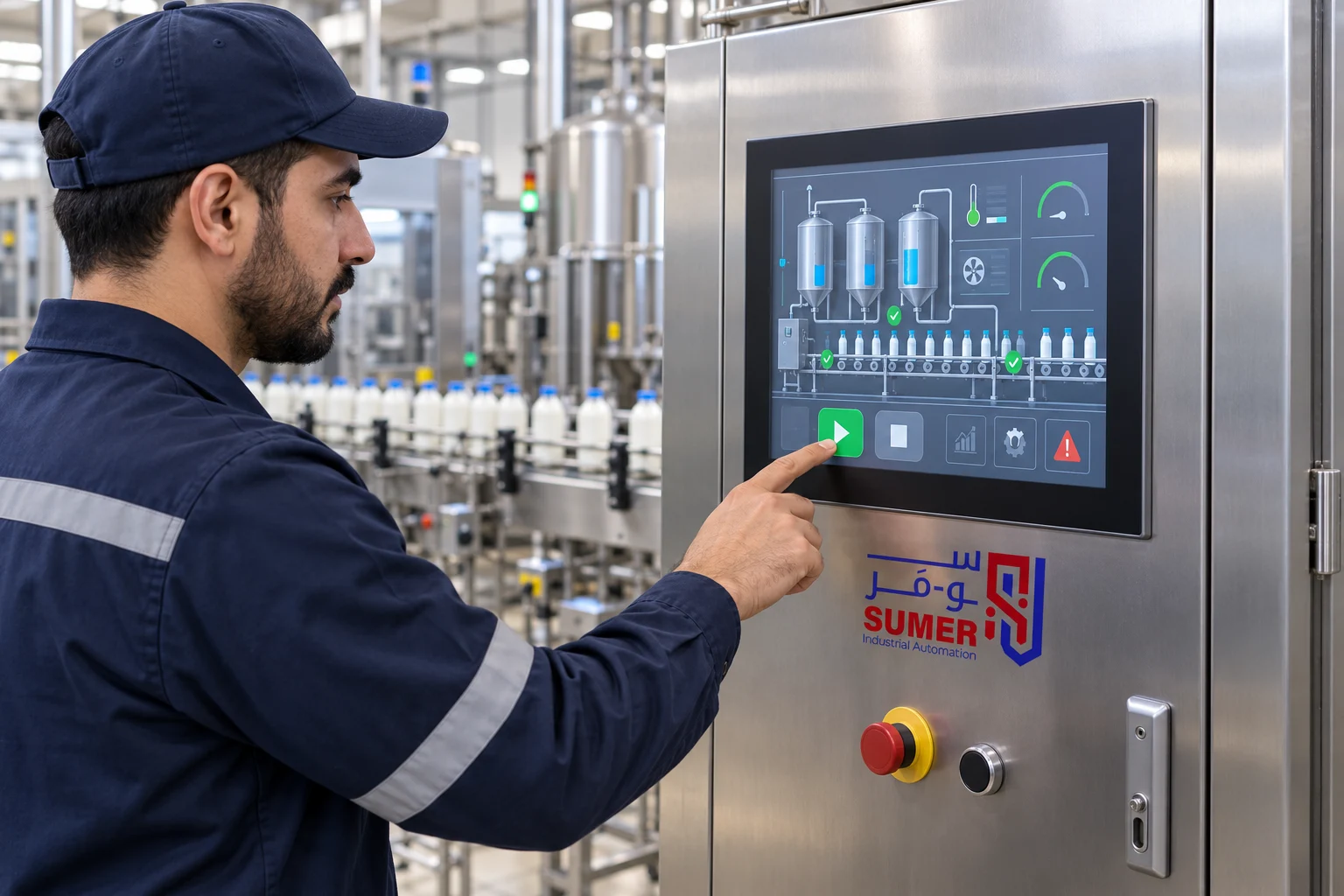
The HMI Screen is used as an interface between the operator and the machine; it displays operating statuses, measurements, and alarms, and allows the entry of commands and modification of authorized settings. Choosing the appropriate screen does not depend solely on size or price, but on its compatibility with the PLC, available ports and protocols, the operating environment, project size, and how the operator will use it.
A technically excellent screen may perform poorly if it does not support the required device driver, if its size is too small for the amount of data, or if it cannot withstand the panel's environmental conditions. Therefore, this guide explains what an HMI is, the difference between it, a normal screen, and a PLC, the steps to ensure compatibility, and how to compare Delta HMI screens before requesting a quotation.
SUMER provides a variety of Delta HMI screens in different sizes and capabilities for factories, machines, and production lines. If you need a model recommendation, send the PLC model, the required size, ports and protocols, and a picture of the current screen or the project file (if available) to the SUMER team.
What is an HMI Screen?
The term HMI stands for Human Machine Interface. In industrial automation systems, an HMI Screen is typically an operator panel mounted on the door of a control panel or next to a machine, connecting to a PLC or other industrial devices to display data and receive operator commands.
In most applications, the screen does not control the process on its own; the core logic resides within the PLC, while the HMI reads values from specific addresses and writes commands or Setpoints to permitted addresses. Therefore, the system's success depends on device compatibility, connection integrity, and the accurate design of the screen project and control program.
What is the difference between an HMI Screen and a normal screen?
A normal screen displays an image coming from a computer or video source, whereas an industrial HMI screen is a dedicated device for operation within a control environment. It contains an operating system and Runtime software, supports industrial drivers and protocols, and can be programmed with screens, buttons, alarms, and Tags that connect directly to the PLC.
Furthermore, an HMI is selected based on its protection rating (IP), mounting method, operating temperature, vibration resistance, and available ports. The presence of a Touch Screen in a commercial monitor does not make it a direct substitute for an HMI inside a machine, as compatibility, continuity, and industrial environment suitability are essential factors.
Is an HMI just a Touch Screen?
Many modern HMI devices use a touch screen, which is why the term "Touch Screen HMI" is widespread. However, touch is merely an input method, while the function of an HMI is much broader. It includes connecting to devices, displaying statuses, managing alarms, and logging data or recipes when the model and project support it.
What does an HMI screen display and control inside the factory?
Functions vary depending on the machine, model, and program. Common uses include:
-
Displaying machine status: Running, stopped, waiting, or faulted.
-
Displaying temperatures, pressure, speed, level, and other process values.
-
Sending Start, Stop, and Reset commands, and selecting the operating mode according to user permissions.
-
Modifying Setpoints such as speed, time, or quantity within permissible limits.
-
Displaying current alarms and fault history to assist operations and maintenance.
-
Managing Recipes for different products or operating sizes, if the project supports it.
-
Displaying value Trends and logging data when the function and appropriate storage media are available.
-
Displaying the status of sensors, motors, and inverters, and diagnosing communication loss.
-
Applying user levels to protect sensitive settings from unauthorized modification.
The clarity of the interface is as important as the number of functions. A screen crowded with too many colors and animations can slow down the understanding of the machine's state. A good design highlights abnormal values, alarms, and required actions, and uses names and units of measurement that the operator understands.
What is the difference between HMI, PLC, and SCADA?
These elements integrate with one another, and none automatically replaces the other.
-
PLC:
-
Core Role: Executing control logic, reading inputs, and issuing output commands.
-
Example of Use: Running a motor when safety conditions and tank levels are met.
-
-
HMI:
-
Core Role: A local operator interface for displaying data and inputting commands.
-
Example of Use: Displaying the tank level, changing a Setpoint, and viewing an alarm.
-
-
SCADA:
-
Core Role: Monitoring and managing a broader system and collecting data from multiple units or locations.
-
Example of Use: Monitoring several production lines or stations from a central control room.
-
A small machine might only need a PLC and buttons, while another might need a PLC and an HMI. Larger facilities use a SCADA system overlying multiple control units.
How do you choose the right HMI Screen?
The selection starts with the application, not the screen's appearance. Prepare a list of data and commands, the PLC type, viewing distance, and work environment, then compare models based on the following criteria.
1. Screen Size and Resolution
The size should allow the display of the most important information without crowding or tiny fonts, and it must fit the panel door space and viewing distance. Higher resolution provides more design space but does not fix a poorly designed interface. Review the model's resolution and the actual cutout dimensions before modifying the panel door or ordering the screen.
2. Touch Type and Operator Usage
Review the touch technology used by the model, required button sizes, whether the operator wears gloves, and the frequency of use. Important function buttons should not be small or grouped too closely, and dangerous commands must require confirmation or appropriate permission according to a risk assessment.
3. Ports and Protocols
Determine whether the connection will be via RS-232, RS-485, Ethernet, or multiple paths. The presence of a physically matching port is not enough; the screen must support the device's driver and protocol, and the Baud Rate, Parity, Station Address, or network settings must match.
4. Compatibility with PLC and Other Devices
Check the exact PLC model, software version, and available Driver, not just the manufacturer's name. If the screen will connect to an inverter, energy meter, or temperature controller, list each device, its role, and connection method, ensuring the HMI can handle all required communications simultaneously.
5. Project Size and Tags
The number of screens, Tags, alarms, Recipes, and graphics affects memory and performance requirements. A small project displaying a few dozen values is different from a production line with many pages, an alarm history, and data logging. Review the model and development software limits before purchasing.
6. Data Logging and Storage
If you need Data Logging, Trends, Recipes, or file copying, determine the data size, retention period, and extraction method. Having USB, SD, or Ethernet can help, but actual functionality depends on the model's support, the software, and project configuration.
7. Operating Environment and Protection Rating (IP)
Review the temperature, humidity, dust, water spray, vibration, and installation location. The advertised protection rating usually applies to the front panel after proper installation, so refer to the model's manual and the panel cutout sealing method.
8. Power Supply and Installation
Verify the supply voltage, the screen's power consumption, and the available power source inside the panel. If it runs on 24V DC, include its load in your 24V Power Supply calculations. Also, check the rear body dimensions, the Panel Cutout size, and the clearance needed for cables and ventilation.
9. Maintenance, Support, and Backups
Before approving a model, ensure the availability of development software, programming cables or download methods, and the ability to backup and restore project files. The factory should possess the source file, the final version, and agreed-upon passwords, not just a compiled runtime file trapped inside the screen.
How do you choose the HMI screen size?
There is no rule stating that one size fits all machines. The following guidelines help form an initial decision, which should be verified against the interface design and actual space:
-
Simple machine with a few values and commands:
-
What to consider: Panel space, ease of touching buttons, number of pages.
-
Initial direction: A compact screen is often sufficient.
-
-
Machine with multiple axes or recipes:
-
What to consider: Amount of data, alarms, and navigation between screens.
-
Initial direction: A medium size that provides better organizational layout space.
-
-
Production line or a panel displaying a Process Overview:
-
What to consider: Viewing distance, number of units, graphics, and Trends.
-
Initial direction: A larger screen and appropriate resolution are generally much clearer.
-
-
Replacing an old screen:
-
What to consider: Cutout dimensions, overall size, wiring, and the project file.
-
Initial direction: Do not choose by nominal size alone.
-
If possible, try designing the main screen and alarms before finalizing the size. If you have to shrink fonts and buttons significantly to fit the content, you either need to reorganize the interface or choose a larger display area.
How do you ensure HMI compatibility with the PLC?
True compatibility involves answering six questions:
-
What is the exact PLC model? The brand name alone is insufficient.
-
What protocol is used? E.g., Modbus RTU, Modbus TCP, or a proprietary driver, based on what both devices support.
-
What is the physical port? RS-232, RS-485, or Ethernet, and what is the cable and pinout type?
-
Is the Driver available in the HMI software? Check the supported devices list and software version.
-
How is data addressed? Register and Bit addresses, data types, and word order must match.
-
What are the communication settings? Station Number, Baud Rate, Parity, or IP and Port must align perfectly.
After setup, test reading, writing, communication loss, and recovery. Just seeing one value appear is not enough. A network disconnection should not trigger an unexpected command, and a clear alarm must appear to the operator when data becomes invalid.
Does any HMI work with any PLC?
No. Many HMIs support a vast array of PLCs, but compatibility hinges on the Driver, protocol, port, and firmware version. In some cases, a standard protocol can be used if supported by both parties, but this requires correct configuration and testing.
Comparison of Delta HMI models available at SUMER
Below are the key differences between four models offered on the SUMER website. Use this to narrow down options, but always review the product page, datasheet, and project requirements before final selection.
-
Delta DOP-103BQ:
-
Size: 4.3 inches, 480×272.
-
Connection or Prominent Feature: Two COM ports; supports RS-232, RS-485, and USB according to the product page.
-
When to initially consider: A compact machine with a simple interface when space and ports are sufficient.
-
-
Delta DOP-107EV:
-
Size: 7 inches.
-
Connection or Prominent Feature: Two COM ports with Ethernet according to the product page.
-
When to initially consider: An application requiring a medium-sized screen and network connectivity alongside serial communications.
-
-
Delta DOP-110WS:
-
Size: 10.1 inches.
-
Connection or Prominent Feature: 3 COM ports, Ethernet, and SD Card support according to the product page.
-
When to initially consider: A larger interface or a project needing flexible connectivity and storage support.
-
-
Delta TP70P-32TP1R:
-
Size: 7 inches.
-
Connection or Prominent Feature: Built-in 16 DI and 16 DO with Relay Output according to the product page.
-
When to initially consider: An application needing to combine an operator interface with built-in control points, after reviewing the complete design.
-
A larger screen is not always better, and having Ethernet does not automatically mean every network function is available. Review supported protocols, resolution, memory, mounting cutout, power, IP rating, and storage limits for each product code. Also, confirm model availability at the time of ordering.
What is the difference between the DOP series and the TP70P model?
The DOP models mentioned are used as standard HMI operator interfaces with features varying by code. Conversely, the TP70P-32TP1R displayed on the SUMER website offers a 7-inch interface with built-in I/O. Therefore, the comparison is not just about size; you must first decide whether you need an HMI to connect to a separate PLC, or an integrated control architecture that suits a specific application.
Confused between models? Send the SUMER team the number of screens required, the PLC model, size, ports, protocol, and required logging or recipe functions to receive a technical recommendation and quotation.
What factors determine the price of an HMI Screen?
The price of an HMI screen varies based on specifications and availability, so it cannot be determined by size alone. Key factors include:
-
Screen size, resolution, and panel/touch type.
-
Number of COM ports and the presence of Ethernet, USB, or SD.
-
Memory, performance, project limits, and Tags.
-
Alarm, Recipe, Trend, and data logging functions.
-
Protection rating (IP), operating environment, and required project certifications.
-
Whether it is a standalone HMI or a unit combining an operator interface with control/I/O functions.
-
Cost of programming, migrating an old project, or on-site commissioning.
-
Cables, accessories, availability, and required quantity.
When comparing quotes, make sure to check if the price includes the screen only, or if it also covers programming, conversion, testing, installation, and backups. A cheaper model might be unsuitable if it requires major design changes or does not support necessary functions.
Common Mistakes When Buying an HMI Screen
-
Selecting by size only: Ignoring protocols and ports can make the screen unable to communicate with the device.
-
Assuming Ethernet means compatibility: The port does not guarantee the presence of the required Driver or protocol support.
-
Buying a replacement before extracting the project: You might not be able to upload an editable file from the old screen.
-
Ignoring the mounting cutout: The same nominal size does not mean the cutout and rear body dimensions are identical.
-
Neglecting the operating environment: Heat, dust, and humidity may require different specifications and mounting methods.
-
Designing a cluttered interface: Too many colors and data points reduce the speed of understanding rather than improving it.
-
Failing to protect settings: Proper permissions and limits must be applied to sensitive values.
-
Lack of a source copy: Without the project file, future modifications and replacements become much harder and more expensive.
-
Using HMI as a substitute for safety circuits: A screen button does not replace an Emergency Stop or a hardware safety system designed for specific risks.
How do you replace an old HMI screen with a newer model?
Begin by noting the old screen's exact code, the PLC model, cable type, ports, supply voltage, and mounting cutout dimensions. Next, search for the original project file, development software version, and available passwords. The presence of a runtime version inside the screen does not always mean an editable file can be retrieved.
When choosing a replacement, review project conversion tools, support for elements, fonts, and Drivers. Then, rigorously test all pages, Tags, alarms, Recipes, permissions, and communication. It is not enough to just open the main screen; there may be addresses or functions that only appear under specific operating conditions.
If the project file cannot be obtained, the interface may need to be rebuilt based on an understanding of the machine, the PLC program, and available schematics. Therefore, send pictures of all old screens and backup files early to assess the work required before production stops entirely.
When do you need to program a new HMI or update the project?
You need a new project when building a machine or changing the entire control system. An update is appropriate when adding a sensor, motor, recipe, alarm screen, or user permission. Replacing an old HMI might require project conversion or rebuilding depending on model and software compatibility.
Programming involves defining communications and Tags, designing pages, alarms, Recipes, Trends, and then testing with the PLC. Because this is a separate topic, you can refer to the guide on programming HMI screens and linking them with PLCs to learn the steps for preparing and testing a project.
What data is required to choose the screen and get a quotation?
Sending the right data from the start reduces unsuitable recommendations and speeds up the quoting process. Prepare the following:
-
The exact product code of the required screen, if known.
-
The model of the PLC or devices that will connect to the screen.
-
Required protocol and ports: Serial, Ethernet, etc.
-
Required size, available space, and mounting cutout dimensions.
-
Approximate number of pages, Tags, alarms, and Recipes.
-
Need for data logging, SD, USB, or network connectivity.
-
Temperature, dust, humidity, and operating location conditions.
-
Pictures of the old screen's label, its rear, and wiring, if requesting a replacement.
-
The HMI project file, PLC program backup, and schematics, if available and shareable.
-
Is the request for hardware supply only, or does it include programming, installation, and commissioning?
Request a Delta HMI Recommendation from SUMER
SUMER assists in selecting Delta HMI screens and integrating them with PLCs and control system components according to machine requirements, providing solutions for various sizes and communication needs listed on the website. The goal is to choose a model that effectively serves the application, not just a bigger screen or features that won't be used.
To get a recommendation and a quote: Contact SUMER and send the PLC model, size, protocol, number of ports, and a picture of the old screen or the project file. The requirements will be evaluated, and appropriate alternatives will be selected based on specifications and availability.